Audio To Text Generator for Listening-Heavy Work
Replace repeated playback with an indexed text layer, while keeping the recording available whenever tone, pronunciation, or surrounding sound matters.
Audio transcript | Working benefit | |
|---|---|---|
| Interview recording | Searchable responses | Faster analysis |
| Podcast production | Text-based episode view | Efficient packaging |
| Meeting audio | Shared source record | Clear follow-up |
| Voice notes | Editable thinking | Move ideas forward |
| Lecture audio | Study-ready text | Deliberate review |
| Multilingual reference | Translation workflow | Broader access |
Who Turns Audio Files into Text
The strongest workflows begin with a specific question: which details must be found, checked, shared, or transformed after listening ends?
- Find a statement by keyword
- Check wording against the source
- Outline an episode by topic
- Draft show notes from actual speech
- Identify short segments for promotion
- Retrieve customer wording
- Summarize requests and constraints
- Review the context of objections
- Prepare implementation handoffs
- Build a searchable call reference
- Search important terms
- Create a concise overview
- Map related concepts
- Generate flashcards and quizzes
- Return to difficult explanations
Build the Transcript for Its Purpose
Choose a cleaner reading draft or retain more speech detail, then review the passages that carry the greatest risk or value.
Clean
Reduce common filler, repeated fragments, and false starts when the audio to text result is intended for easy reading.
Voices
Use the premium tier to clarify turns in interviews, calls, panels, and other recordings with several participants.
Events
Include supported audio event tags when laughter, applause, or another sound contributes meaning to the transcript.
Check
Verify names, numbers, quotations, jargon, and unclear speech before treating the Audio To Text Generator draft as final.
Search Changes How Audio Gets Used
“I used to mark approximate times while interviewing guests. Now the Audio To Text Generator gives me a searchable conversation, and I verify each selected quotation against the exact section before the story goes to copy editing.”
Noah Briggs
Freelance journalist
“Our support calls reveal recurring language that dashboards cannot show. The transcript lets me compare how customers describe the same confusion, then prepare a briefing with direct evidence for product and documentation teams.”
Samira Patel
Customer insights manager
Audio To Text Generator Answers
What to know about recording quality, speakers, cleanup, verification, translation, and responsible use.
How do I transcribe audio to text online?
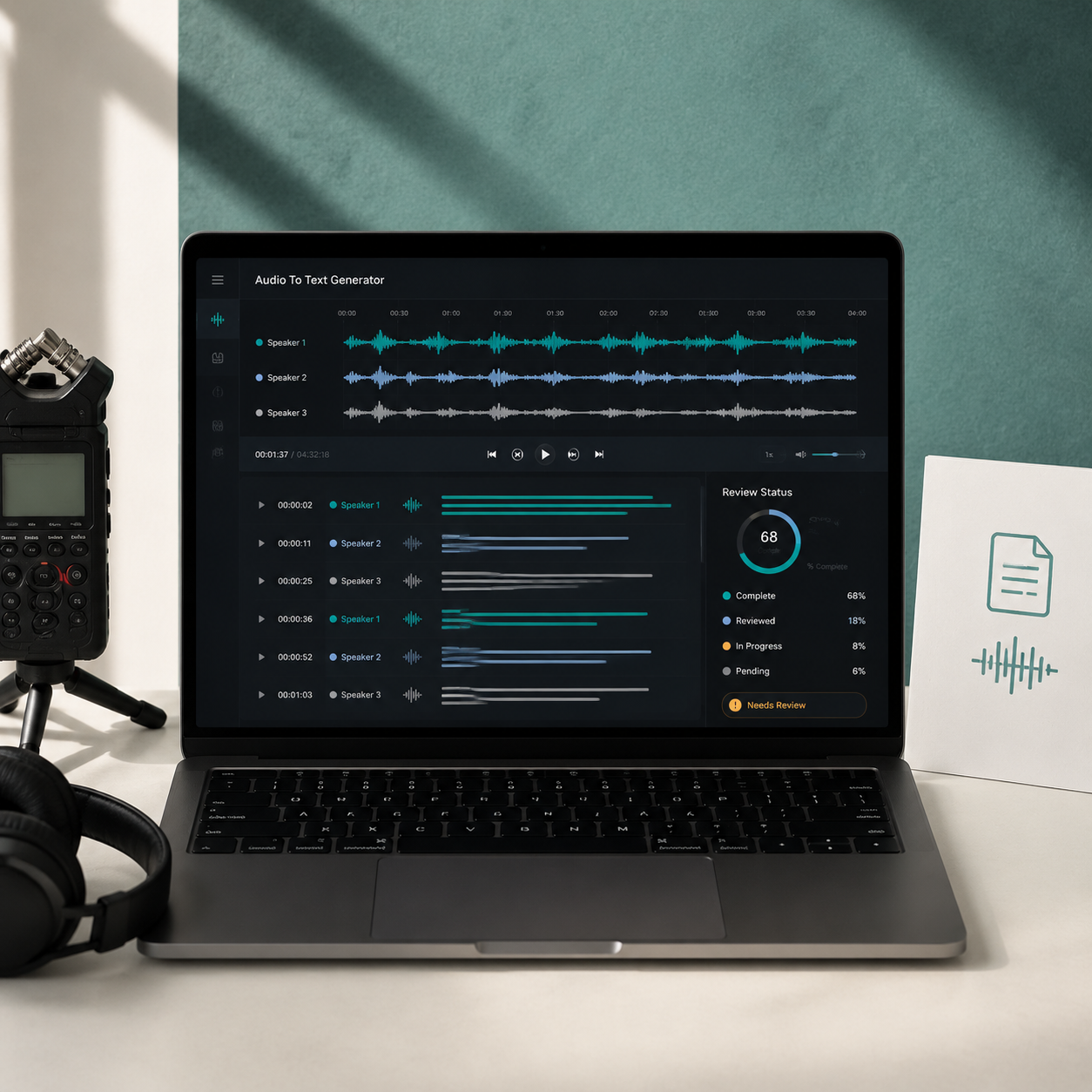
Choose the Audio tab, select a supported file, set the available transcription options, and begin. The Audio To Text Generator creates timed passages that can be searched and used with the follow-up tools.
Can an audio file to text converter handle a recorded interview?
Yes. The Audio To Text Generator makes questions and answers searchable while preserving timing context and optional speaker separation. Review cross-talk, names, quotations, and important claims before publishing or presenting the result.
Can I transcribe audio to text free?
Available usage is shown in the current plan and tier controls. Check those limits before processing a long file, a collection of recordings, or audio that needs premium speaker separation.
Which audio quality produces a better transcript?
Clear, close speech with limited room echo, background noise, music, and overlap generally supports a stronger draft. Compression, distant microphones, unusual names, and technical terms can require more correction.
What is the difference between clean and verbatim text?
Cleaner text reduces common disfluencies for easier reading, while a closer transcript retains more of the speaker's delivery. Choose according to whether the output supports publication, analysis, accessibility, or a formal record.
Can the Audio To Text Generator separate several speakers?
Premium speaker separation helps organize turns in calls, interviews, panels, and group recordings. Human review remains important when voices overlap, participants interrupt, or similar voices alternate quickly.
Can I translate audio to text after transcription?
Yes. Create and review the original transcript, then prepare another language version with the translation tool. Names, idioms, cultural references, quotations, and specialized terminology need contextual checking.
Can I use audio to text transcription for meeting minutes?
The transcript can support minute preparation by making decisions and action items searchable, but it should not replace the responsible review and approval process your organization requires for an official record.
What can I generate after the audio transcript?
Create summaries, mind maps, flashcards, quizzes, chapters, infographics, or translations from the same source. The Audio To Text Generator provides the text foundation, while each follow-up tool serves a different goal.

Create an Editable Record from Audio
Turn the next interview, call, lecture, or voice note into text that can be checked, organized, and moved into real work.